Tell someone you're almost there — without touching your phone.
Save a trip, arm it with one tap, and GPSya sends your message the moment you're the chosen number of minutes' drive from the address. Then it disarms itself.
No account. No ads. Your location never leaves your phone.
Three taps, then forget about it
A trip is a template you reuse — set it up once, arm it whenever you drive.
Save a trip
Pick a contact, type the destination address, and choose your message. Reuse it every time you make that drive.
Arm it
One tap before you set off — or give the trip a schedule and it arms itself, the way an alarm goes off.
Drive
GPSya watches the live drive time in the background. At your threshold it sends the message and disarms.
What it looks like
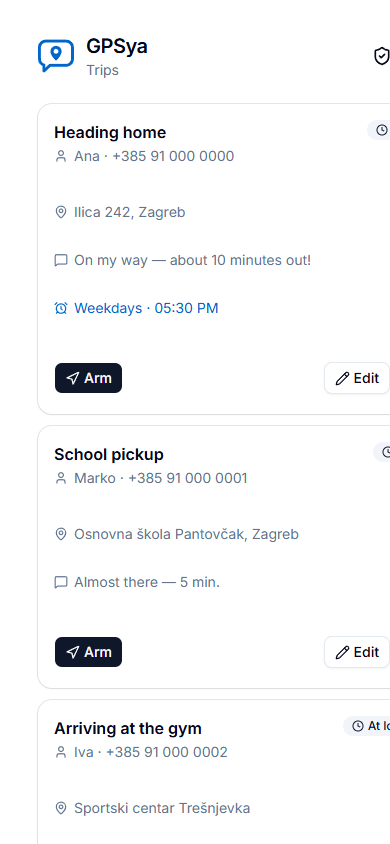
No sign-up, no dashboard — just your trips.
Your saved trips, each one tap from armed.
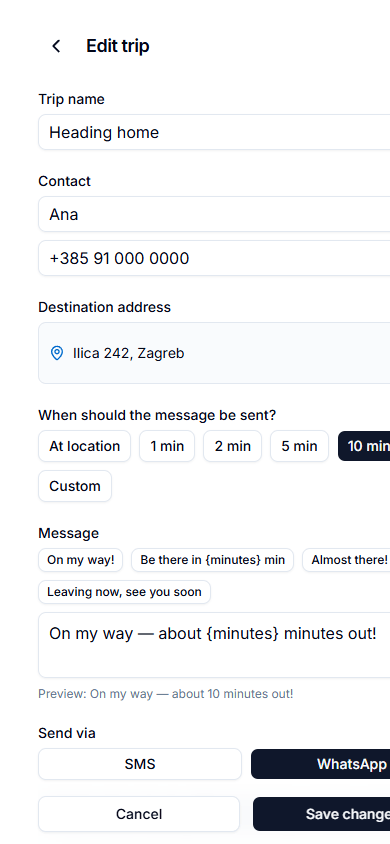
Fire on arrival, or 1–60 minutes before it.
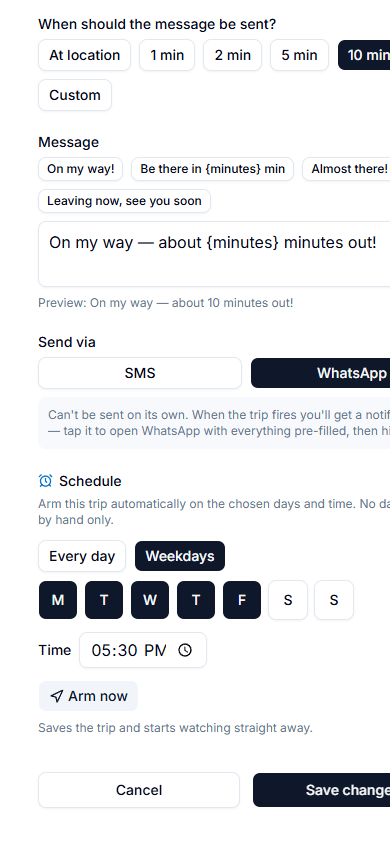
Weekdays at 5:30 PM? It arms itself.
Built for the drives you repeat
Your timing, not ours
Fire the moment you arrive, or anywhere from 1 to 60 minutes out — based on live drive time, not straight-line distance.
Schedules that self-arm
"Weekdays at 5:30 PM" and the trip arms itself, even with the app closed. Set it like an alarm and forget it.
SMS or WhatsApp
Send a plain SMS silently, or get a notification that opens WhatsApp pre-filled for a one-tap send.
Works with the screen off
Tracking continues in the background while you drive, so nothing depends on you keeping the app open.
Six languages
English, Croatian, German, Italian, French and Spanish — picked on first launch, changeable any time.
Nothing to sign up for
No account, no ads, no tracking profile. Your trips and your location stay on your phone.
Get GPSya
Direct download. Android 8.0 or newer.
Android 8.0+
Verify the download — the SHA-256 below must match your file. On
Windows: Get-FileHash <file> -Algorithm SHA256
⚠️ Why Android warns you about this app
This is the full version, installed directly (sideloaded) instead of through the Play Store — so Android shows scary-looking warnings. That's expected for any app installed this way, not a sign something is wrong:
- "Unknown app" / "unsafe" warning — Android shows this for every app that doesn't come from the Play Store. You allow it once per source.
- Play Protect prompt — Google flags rarely-installed apps that can send SMS. GPSya sends the SMS you configured, from your SIM, to the contact you chose. Choose "Install anyway" if you trust this download.
- Verify the checksum above so you know the file wasn't tampered with in transit.
Prefer no warnings? The Play-Store version is coming — it opens your own SMS/WhatsApp pre-filled for a one-tap send instead of sending silently (Play policy forbids silent SMS for apps like this).
Install steps
- Tap Download APK above.
- Open the downloaded file. If prompted, allow your browser/files app to install unknown apps (Android walks you to the setting).
- If Play Protect warns, choose Install anyway.
- Open GPSya, grant notifications and location "Allow all the time" — the app's Permissions screen walks you through it.
- For the SMS permission Android adds one extra hurdle, because the app came from the web rather than the Play Store: it hides the permission until you turn on Allow restricted settings. In the app's settings page, tap the ⋮ menu (called "More" on some phones) at the top right and choose it, then allow SMS. GPSya's Permissions screen shows these steps too. You only do this once.
- Create a trip and arm it.
On some devices (Brazil, Indonesia, Singapore, Thailand from late 2026) Android's new developer-verification flow adds an extra confirmation step for direct installs. GPSya is registered so it installs normally — see the Android sideloading changes.